Internal links help people move through a website and give crawlers paths to discover related pages.
The most useful audit question is not “How many links does this page have?” It is “What destination does each link expose, and does its label prepare someone for that destination?”
Start with crawlable HTML
Google says it can generally crawl a link when it is an <a> element with an href attribute that resolves to a web address. Script-only click handlers and link-like spans are less reliable discovery mechanisms. See Google’s link best practices.
<a href="/tools/sitemap-finder">Find a public XML sitemap</a>Relative links are valid. Resolve them against the final page URL before deciding whether they are internal or external.
Anchor text sets an expectation
“Read more” may be understandable within a visual card, but repeated generic labels become ambiguous when read out of context. Descriptive text can help both navigation and machine interpretation.
Do not replace natural language with keyword-heavy anchors. A concise label that accurately names the destination is enough.
For linked images, the image’s alternative text may provide the accessible name. An empty linked image without other text needs closer review.
Rel attributes are evidence, not automatic errors
Attributes such as nofollow, sponsored, and ugc communicate specific relationships. Their presence should be reported exactly.
Do not remove them automatically. The correct value depends on why the link exists and who controls its destination or content.
One page cannot reveal the whole architecture
A page-level checker can count and list internal links in the fetched HTML. It cannot establish:
- Which site pages are orphaned.
- Complete click depth from the homepage.
- How authority flows through every template.
- Whether client-side links appear after rendering.
- Whether the destination is editorially valuable.
Those questions require a broader crawl, a route inventory, analytics, or human review.
Internal and broken-link checks are different
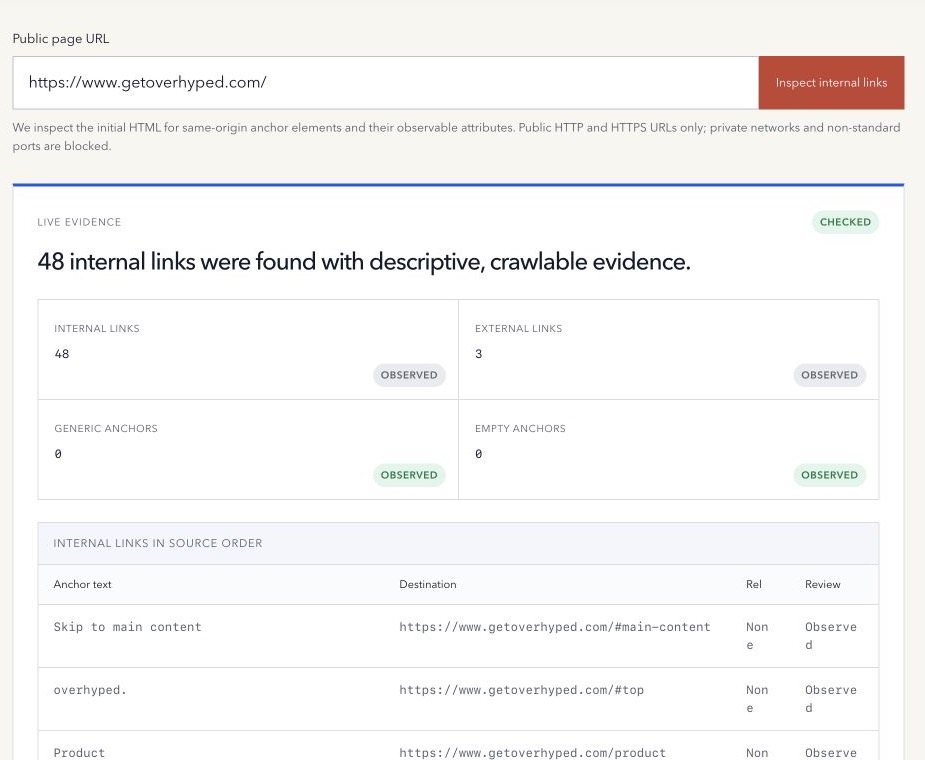
An internal-link inspector answers what anchors and destinations the source page declares. A broken-link checker sends bounded requests to those destinations and records their responses.
Keeping the jobs separate makes limitations clearer and prevents a simple page inspection from unexpectedly sending dozens of network requests.
A practical page-level review
- Fetch the final public HTML safely.
- Extract anchors in source order.
- Resolve relative destinations.
- Classify same-origin links explicitly.
- Record anchor text, image alt fallback, rel, and fragments.
- Flag empty or generic labels for review.
- Inspect the rendered page when client-side content is expected.
- Check destination responses separately when needed.
Use the free Internal Link Checker to inspect one page’s observable internal-link evidence.
Method note: the tool inspects the initial public HTML response and does not calculate PageRank, orphan status, or site-wide depth. Last reviewed 30 August 2026.