
A duplicate-metadata warning needs a diagnosis before a rewrite. Two useful pages might share a generic template value. One page might contain two competing declarations. Or the report may simply mean that a page’s H1 matches its title.
Those situations need different responses. Start with the affected URLs and the actual HTML rather than changing copy to clear a warning count.
Identify which kind of duplication you have
| Finding | Evidence to collect | Suitable response |
|---|---|---|
| Different pages share the same title or description | Final URLs, visible content and metadata for each page | Write page-specific values when the pages serve distinct purposes. |
| One page contains competing title or description elements | Every declaration in source HTML and the rendered document | Find which template, plugin or script emits each element and resolve the conflict. |
| One page’s H1 and title use the same wording | The title, visible H1 and page topic | Keep accurate wording unless a clearer distinction helps the reader. |
Repeated metadata is not proof that the page content is duplicated. Inspect the content and URL relationship before choosing a repair.
A worked duplicate metadata example
Suppose an example site has two separate guides: one about checking image accessibility and another about keyboard navigation. A shared template accidentally supplies both with the title “Website guide” and description “Read our useful website guide.”
The pages do different jobs. A page-specific repair could look like this:
| Page and revised title | Revised description |
|---|---|
| /guides/images — How to Review Image Text Alternatives | Review image purpose, useful alternative text and decorative images with a practical checklist. |
| /guides/keyboard — How to Check Keyboard Navigation | Check focus order, visible focus and keyboard access through a page’s main tasks. |
This is a hypothetical editorial example, not a client result or a claim about ranking improvement. The body content must actually deliver what the labels promise. Adding a different keyword or a page number to every title is not a substitute for understanding the page.
The underlying repair might be as small as mapping the title and summary to the correct content fields instead of a global fallback. Verify that mapping on both pages and on a third page using the same template.
Check whether the URLs should remain separate
If the pages are genuinely different, describe each accurately. If two URLs display equivalent content, first confirm the intended representative URL. A campaign parameter, print view or old address may be deliberately consolidated.
Do not remove a canonical or add noindex merely to eliminate a duplicate-title warning. Review the canonical URL guide before changing that decision. A metadata rewrite does not resolve conflicting URL signals by itself.
Find the system that owns the tags
Record the final URL after redirects and inspect its returned HTML. Search for the title element and every meta element whose name is description. If JavaScript changes the head, compare the rendered DOM too.
For each competing value, identify its owner: the page record, shared layout, CMS theme, SEO plugin, or client script. Make a scoped change to the owner and preserve other intentional metadata. Avoid removing a plugin or framework feature without understanding what else it supplies.
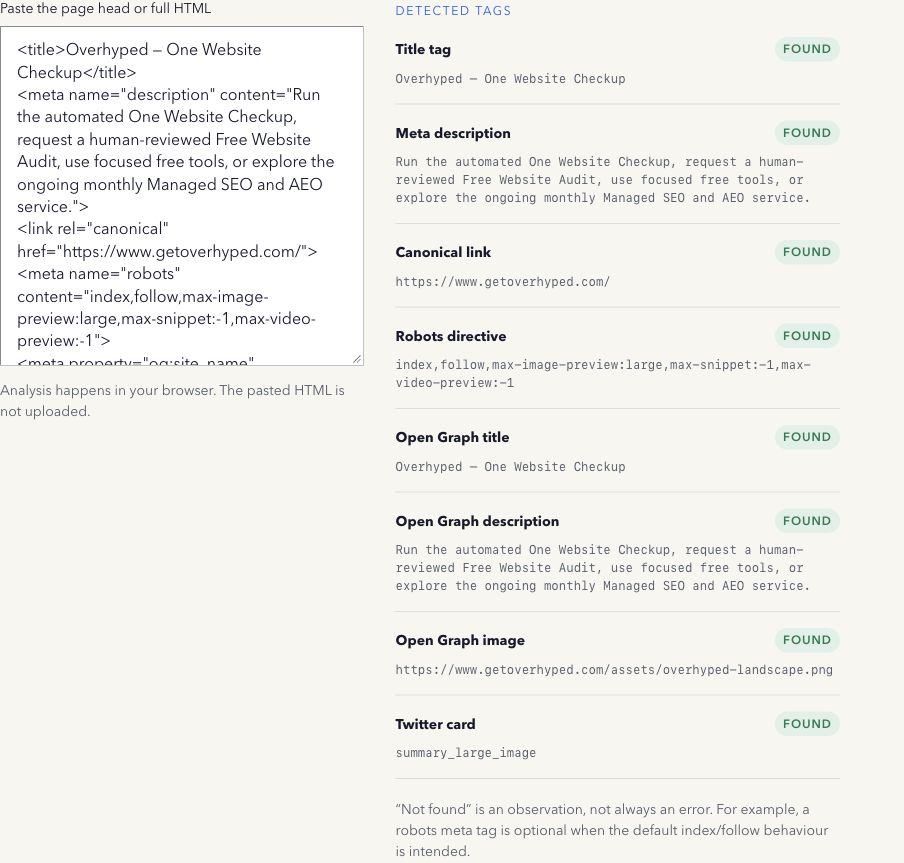
The Meta Tag Checker can extract selected values from HTML you paste. It reports the first detected value for relevant fields and does not detect every duplicate. A clean-looking result cannot prove that only one declaration exists. Inspect the full source separately and compare multiple URLs yourself.
Duplicate H1 and title tags: what the warning means
Check the report’s definition. Matching wording between one title and one H1 can be reasonable when both accurately name the topic. Multiple H1 elements concern document structure; repeated titles across different pages concern how those pages are described.
Google can form search titles from several page signals, so changing a title does not guarantee the exact search result wording. Its title-link documentation recommends descriptive titles and explains how generated titles can differ. The heading guide covers H1 length and hierarchy separately.
Write descriptions that distinguish the pages
Summarize what is specific and useful on each page. Avoid filling every description with the same company introduction or a list of keywords. Google’s snippet guidance recommends page-specific descriptions, while explaining that a search snippet may come from page content instead.
Use the Meta Description Length Checker to review a draft, then read it in context. A character count cannot establish accuracy or guarantee what Google displays.
Verify the repair after deployment
- Save the affected URLs, old values, intended repair and responsible template or field.
- Make the smallest justified change and check the generated HTML locally.
- Deploy through the normal approval process and fetch the public pages again.
- Compare the repaired pages and another page using the same template. Confirm titles, descriptions, canonicals and intentional indexing controls.
- Re-run the original report when its scope is available. Record remaining warnings with their cause rather than assuming every warning needs a rewrite.
- Use Search Console for Google-specific evidence and compare the last crawl with the release. Stored search results can lag behind the live HTML.
Keep the before/after evidence. A verified deployment is a completed repair check; it does not establish that Google has recrawled the pages or that clicks have improved.
Method note: the worked URLs and metadata are hypothetical. The companion tool parses pasted HTML locally and does not perform a multi-page duplicate audit. Last reviewed 17 October 2026.