
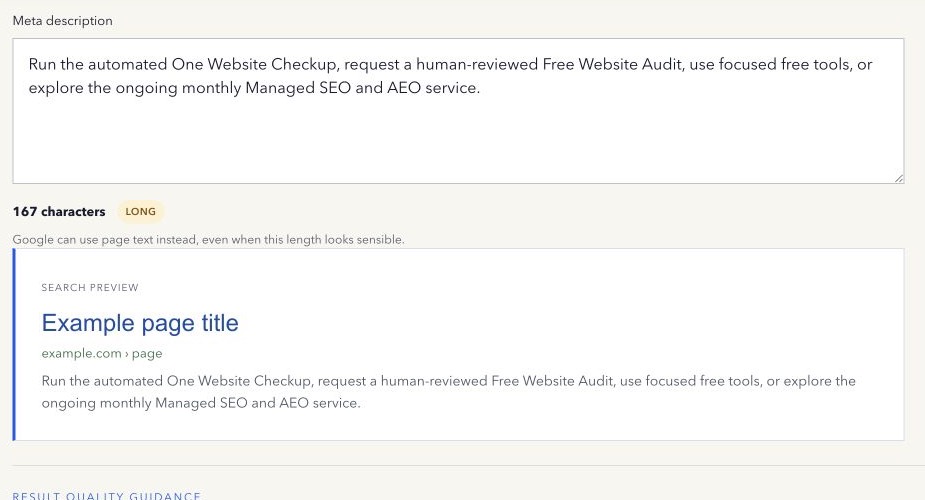
You wrote a careful meta description, but Google displayed a sentence from the page instead. That does not necessarily mean the tag is broken.
Google builds snippets to help with a particular search. A passage in the visible content may match that query better than one general summary.
What the description actually does
The meta description is a short summary placed in the page head. It is not normally visible in the body. Search systems can use it when it provides a useful description of the page.
It is also not a command. Google’s snippet documentation explains that snippets are primarily created from page content and may use the meta description when appropriate.
The description is not a direct Google ranking factor. It can still affect the search journey by helping a person understand the page and decide whether it answers their need. That makes accuracy, specificity, and consistency with visible content more valuable than repeating a keyword.
Common reasons for a different snippet
The description may be too generic, repeated across many pages, unrelated to the query, out of date, filled with keyword variations, or inconsistent with visible content. The page may also contain a clear sentence that answers the exact search more directly.
A rewrite can therefore be useful evidence. Look at the selected passage and the query before deciding it is wrong.
Length is not the whole problem
There is no guaranteed character limit that forces Google to display every word. A range such as 70–160 characters is useful for editing many summaries, but the displayed space can vary.
Lead with the central value of the page. Remove repetition. Keep important qualifications. Do not cut the description into an awkward fragment to satisfy a counter.
How to write a stronger description
Describe the specific page, not the whole company. Set an accurate expectation. Use ordinary words a prospective visitor understands. Make important pages distinct from one another.
For an article, state the question it answers. For a product page, explain what the product does and who it is for. For a location page, use only the location details genuinely covered by that page.
Avoid promises that the content cannot support. The goal is a truthful summary, not a larger-looking claim.
When a CMS creates hundreds of pages, repeated descriptions usually come from a shared template. Generate a unique summary only from reliable page data. If the template cannot describe a page truthfully, an absent description is better than misleading boilerplate that claims the wrong topic or location.
Improve the page, not only the tag
Because snippets can come from visible text, make the opening paragraphs and relevant sections clear too. Use descriptive headings. Answer the question near the point where a visitor expects it.
After publishing, confirm that the live HTML contains the intended description. Then use Search Console and representative searches to observe how the result changes. Do not promise a click-through-rate increase from a metadata edit alone.
Check the draft
Use the free Meta Description Length Checker to count characters and read the description in a simple preview. Treat the result as an editing prompt, not a Google score.
Method note: the tool processes text locally and cannot predict query-specific snippets. Last reviewed 13 September 2026.