
A technical SEO audit checklist is useful when it produces decisions someone can implement and verify. A list of red labels without URLs, intended behavior or ownership is difficult to act on.
This workflow is for people running the audit themselves. Download the editable technical SEO audit worksheet and use one finding record per distinct problem. It is a working record, not a certification or a universal SEO score.
Define scope before checking pages
Record the production origin, review date, available access and excluded areas. Build an inventory from the sitemap, navigation, internal links and any authorized analytics or Search Console data. Each source can miss URLs, so explain what the inventory includes.
Group URLs by template and purpose: homepage, service pages, tools, guides and any relevant transactional pages. Choose representative examples and expand coverage when you find a template-wide issue. Record the checked URLs and count; three sampled pages are not evidence about every page on a website.
Keep private account areas and customer data out of public evidence files. Confirm what the site owner wants indexed before treating a restriction as a defect.
Work through these eight review areas
| Review area | Evidence to collect | Decision to make |
|---|---|---|
| Responses and redirects | Requested URL, final URL, status and redirect steps | Does the response match the URL’s purpose? |
| Crawl permissions | Exact origin, crawler, path and matching robots rule | Is the restriction intentional? |
| Indexing signals | Robots meta/header directives, canonical target and authorized Google inspection evidence | Which URL should appear in search? |
| Sitemaps | Fetch status, XML validity, listed URLs and processing evidence where available | Does the file describe eligible preferred URLs? |
| Internal links | Source page, destination, anchor and observed destination response | Can users and crawlers reach useful pages? |
| Titles and descriptions | Current text, page purpose and duplication across checked URLs | Does the snippet text accurately describe each page? |
| Headings and content structure | Heading order, visible main content and task completion | Can readers understand and use the page? |
| Performance and rendering | Test URL, device, date, lab results and available field evidence | What repeatable obstacle deserves investigation? |
Use the HTTP Status Code Checker, Robots.txt Tester, Indexability Checker, XML Sitemap Validator and Internal Link Checker for focused observations. Each tool has its own coverage and limitations.
For interpretation, follow the guides on robots matching, XML validation, internal linking and title writing. Confirm each observation against the live response and the site’s intended behavior.
A bounded example from our own website
On 27 October 2026, we fetched three public Overhyped URLs and inspected their server-returned HTML. This example demonstrates recording evidence; it is not a complete audit.
| Checked URL path | HTTP status | Canonical | H1 elements |
|---|---|---|---|
/ |
200 | Same URL | 1 |
/tools/robots-txt-tester |
200 | Same URL | 1 |
/blog/how-robots-txt-rule-matching-works |
200 | Same URL | 1 |
All three responses declared index,follow in their robots meta tag. These observations do not prove Google indexed the pages, that every link works, or that their content and performance are good. One H1 is an inventory observation, not a universal ranking requirement.
Our worksheet would mark these specific response and canonical observations as recorded, with no defect established by those fields alone. The remaining review areas still need their own evidence. Do not manufacture a repair to make every checklist row produce an issue.
Write findings that another person can reproduce
For each issue, record:
- The exact URL or affected template and observation time.
- The response, markup or other evidence that supports the finding.
- The expected behavior and who confirmed it.
- The user or discovery problem the evidence supports.
- The proposed repair, responsible owner and approval requirements.
- A retest that can establish whether the repair worked.
For example, if a link intended to open a current guide returns 404, record the source page, link destination and response. Confirm the correct destination with the content owner. The repair may belong to the linking template rather than the server. Retest both the source link and destination after deployment.
A missing optional field, an intentional noindex directive or a canonical pointing to a deliberately preferred URL does not automatically belong in the repair queue. Google’s SEO Starter Guide provides a useful foundation without making every optional practice a requirement.
Prioritize supported impact, then assign ownership
Start with reproducible problems affecting access to important pages or many URLs through a shared template. Next consider navigation and content problems that prevent people completing a task. Leave unsupported theories in a separate investigation list.
Record uncertainty. A page with few impressions may have limited demand, strong competition, incomplete discovery or another cause; a single technical observation does not establish why traffic is low.
Assign each accepted finding to an owner and agree the approval and rollback path. Group one shared template problem into one repair with representative cases instead of creating duplicate tasks for every affected URL.
Retest repairs and measure search outcomes separately
After deployment, record the actual production release time and repeat the original check against the live URL. Keep the earlier evidence so a reviewer can compare before and after. Expand the retest when a shared template changed.
A corrected canonical or working link is a verified technical change. Google recrawling, indexing and search performance are separate outcomes that may take longer. Use authorized Search Console evidence when assessing those outcomes; do not infer them from a public tool score.
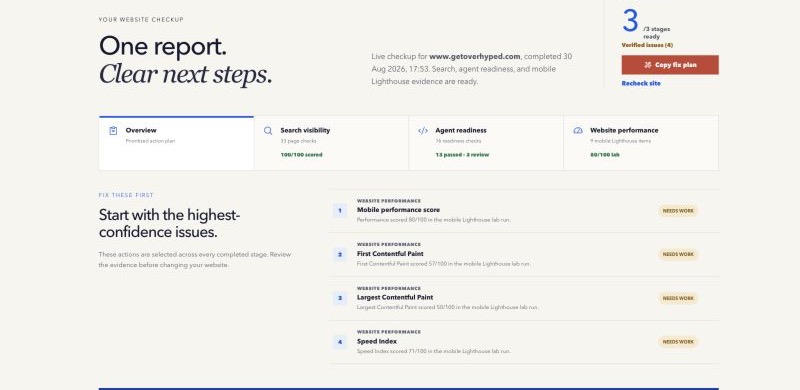
For the limits of the automated starting point, read what One Website Checkup can verify. Use the worksheet to coordinate the broader audit rather than presenting one checked URL as proof of complete website coverage.